Download Neon Bricks Master free on android
APK file Neon Bricks Master 1.0.51How to install APK / APKS / OBB file on Android


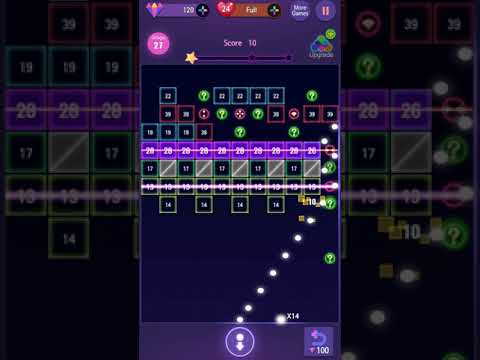

Use simple and easy-to-learn controls and experience maximum enjoyment!
Fire balls to destroy neon blocks and blow off stress!
[How to Play]
- Touch the screen to set the angle and release to unleash balls.
- Bricks are destroyed when durability hits 0.
- Break all the bricks to advance to the next stage.
- Game over when the bricks reach the bottom line.
[Features]
- Free game
- Various stages
- Available for one-hand play, simple control & rules
- Available without Wi-Fi (offline game)
- Requires little space & supported on devices of low specification
- Supported on tablet devices
- 19 languages supported
- Achievements & Leaderboards supported
[Notice]
- This game includes in-app purchases.
- Actual transaction occurs upon the purchase of an item.
- Refunds of purchase may be limited depending on the item of purchase.
- Data saved on a device is reset upon deletion of app or change of device.
[Facebook]
https://www.facebook.com/tunupgames/
[Homepage]
https://play.google.com/store/apps/dev?id=5178008107606187625
[Customer Service]
help@tunupgames.com
* Improved the game environment.
- LicenseFree
- File nameNeon Bricks Master
- File Version1.0.51
- Package namecom.tunupgames.aos.neonmaster
- Size38.64 MB
- UploadedJanuary 23, 2026
- Android7.0 or later

- CategoryArcade
- DeveloperTunup Games
- Developer sitehttp://www.tunupgames.com
- Developer emailhelp@tunupgames.com
- md5 hash8077db340c4bc496b4db9dd776d8b346
- Architecture-
- Permissionsshow (11)
